Three friends, three separate searches, all of them scrolling the same boards day after day. Every tailored resume meant rewriting the same career story for the hundredth time. Every saved listing lived in a different tab, a different bookmark, a different note app.
The system should be doing the heavy lifting, not the person looking for work. So I built one that does.
Jane Doe's sandbox is a clone of the working dashboard, populated with fake data. Press Play on the tour bar and JJ will walk you through the whole system: how leads get scored, how feedback trains JJ, and how a tailored resume and cover letter come out the other side ready to send.
Open the audio tour ↗About 4 minutes. Press Play on the bottom bar when the demo loads.
A skill I built scrapes job boards for postings that match each friend's background. Listings land in the dashboard automatically. No more browsing.
Every lead gets scored against the friend's actual experience. The list comes pre-filtered, with a plain-English explanation of why each one matched.
Mark a listing interesting and JJ tailors a resume and cover letter for that exact job in a few minutes. ATS-friendly format. No generic templates.
Tell JJ why a lead is or isn't a fit. The next batch is sharper. The dashboard learns each person individually over time.
Listings are sortable by status: new, interested, applied, passed. Each card shows the company, the pay, and the AI fit score before you click in. The list is already filtered to the kind of work they actually want.
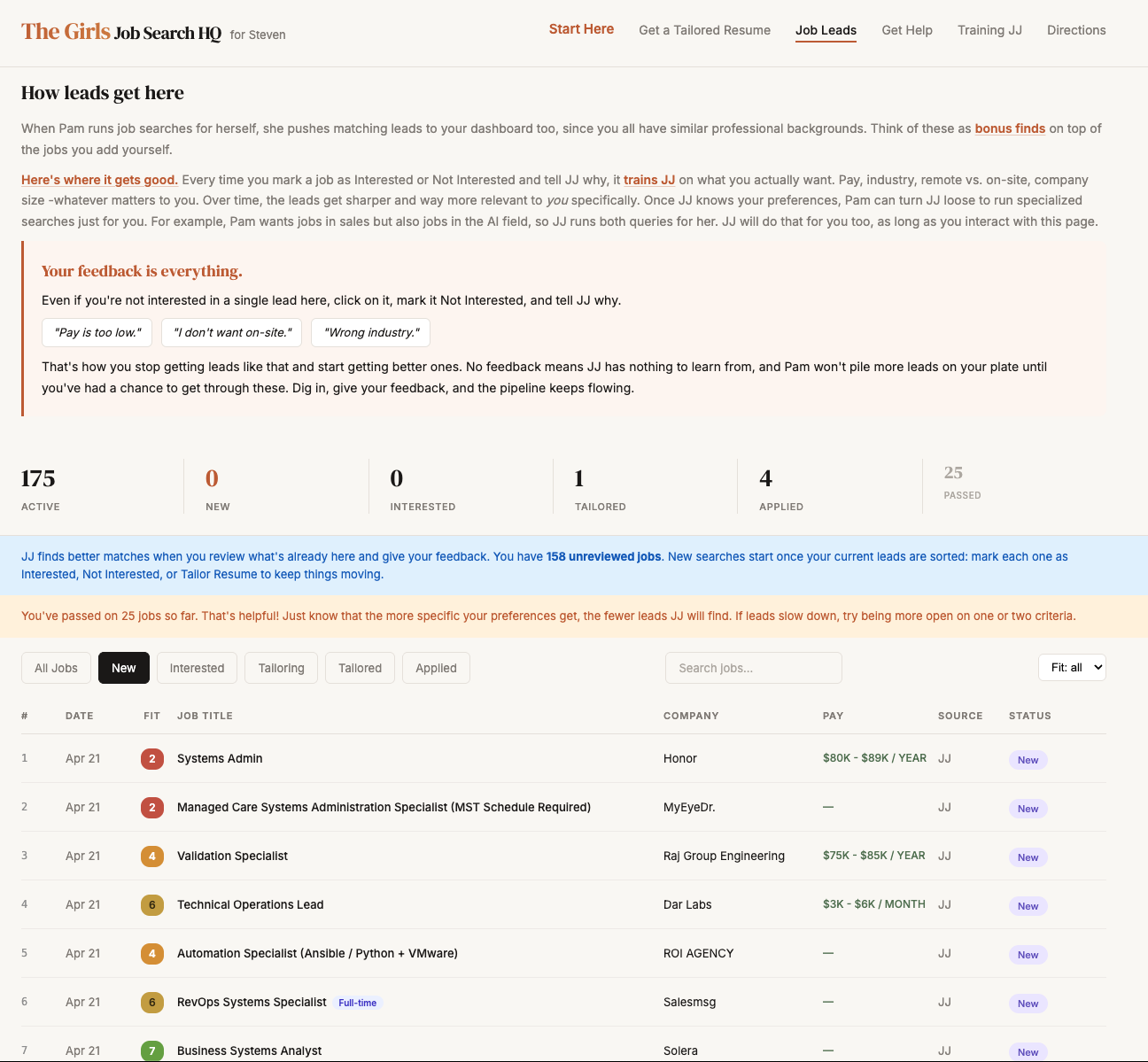
Auto-populated, fit-scored, sortable.
The full job description, the pay, a link to the original posting, and JJ's fit-score explanation. Read it, decide what to do next.
If interested, JJ asks one question: what did you like about it? That answer trains the next batch of leads to look more like this one.
One click. JJ pulls the friend's full background, reads the job description, and writes a resume and cover letter matched to that specific listing.
Download the tailored docs, hit the original posting, send. The dashboard files everything under that lead so nothing gets lost.
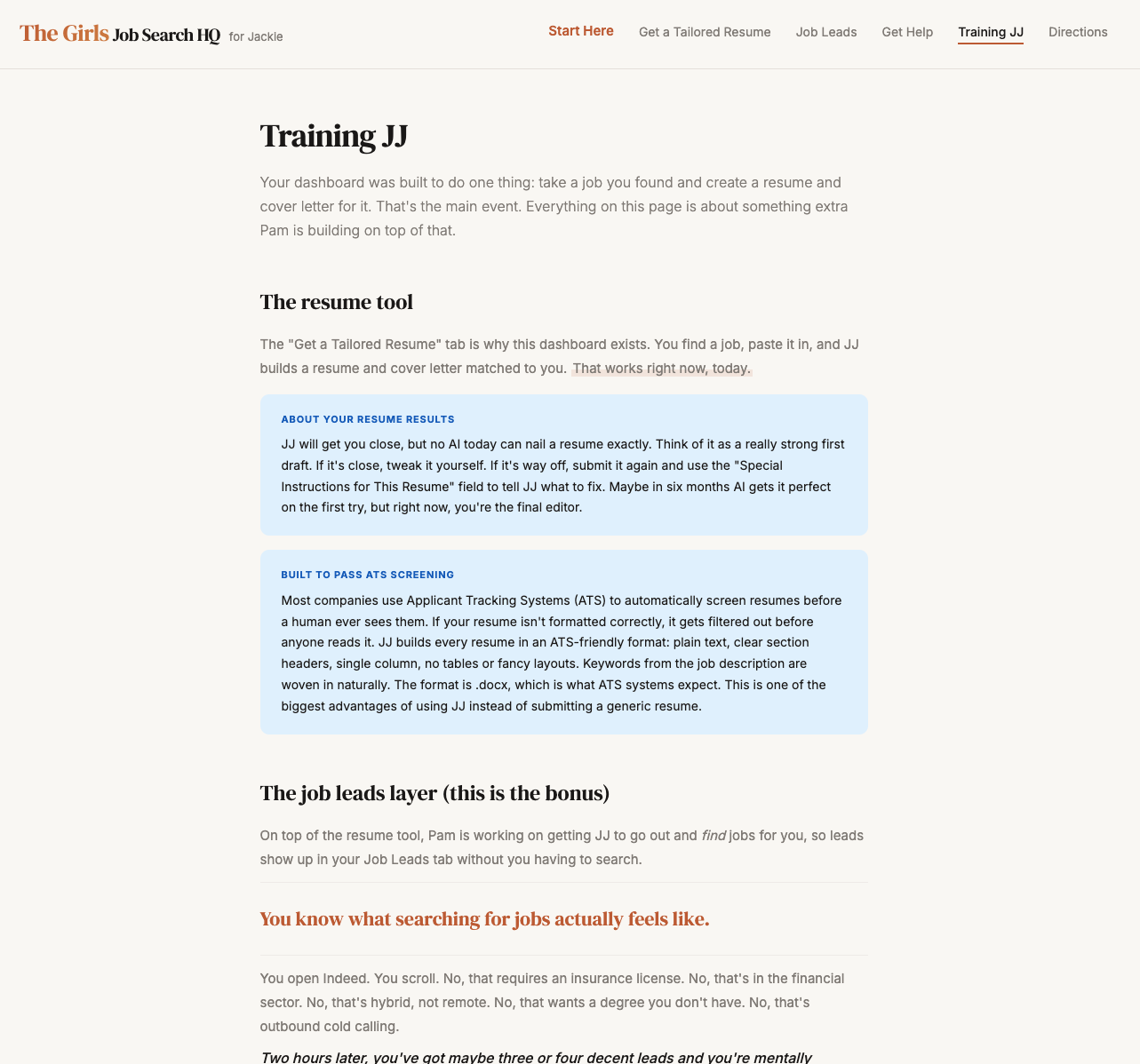
A Training JJ page explains how the resume tool works, why it builds in ATS-friendly format so the resume passes automated screening before a human ever sees it, and how the leads layer learns preferences over time. It is the manual, in plain English, written for them.
A Directions page gives a card for every feature. Tap to expand the full instructions. There is also a chat interface connected directly to JJ if anything is not working.
Training JJ. Click to enlarge.
When a new user signs in, the first thing they see is an 18-page walkthrough that explains every section before they touch the live data. It is the same walkthrough Pam built for the friends using the dashboard. You can click through the whole thing right now — no signup, no real data, just the tour.
Start the 18-page tour ↗About 4 minutes start to finish.
Built because they needed it. The dashboard handles the scraping, the scoring, and the paperwork. They show up, react to what landed overnight, and apply to the listings that catch their eye.