Project Walkthrough
It's Friday night. I sit down to watch something and I can't remember which series I was in the middle of, or which platform it was on. Meanwhile my sisters are recommending things in the family group chat that I don't want to lose track of. I needed one place for all of it. Nothing did exactly that. So I built it.
Try the live demoHow You Add Anything
Open the assistant and say "I want to add Stranger Things, a series on Netflix." That's all the information it needs.
From just the title and platform, it:
All of this from just the title and the platform.
Or Add in Bulk
Ask by genre
"Find me the ten most popular sci-fi movies" or "the ten most popular dramas" - one prompt, a whole list.
Instant results
Pam did exactly this to seed the demo. The conversation below populated the entire library in one exchange.
Easy to edit
When adding in bulk, platform detection isn't always perfect. If something's missing, jump in and edit it. Takes seconds.
One prompt - ask for exactly what you want across any platform.
Everything added and confirmed in one exchange.
The chat is in the bottom left corner.
Series
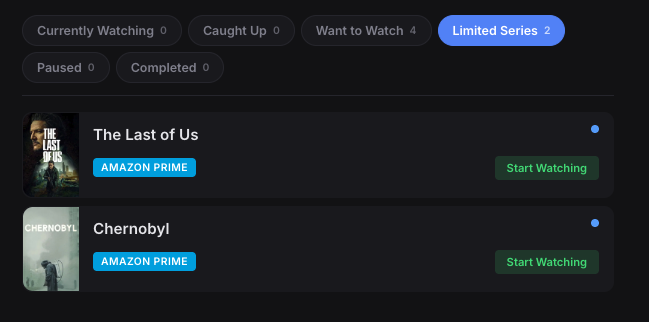
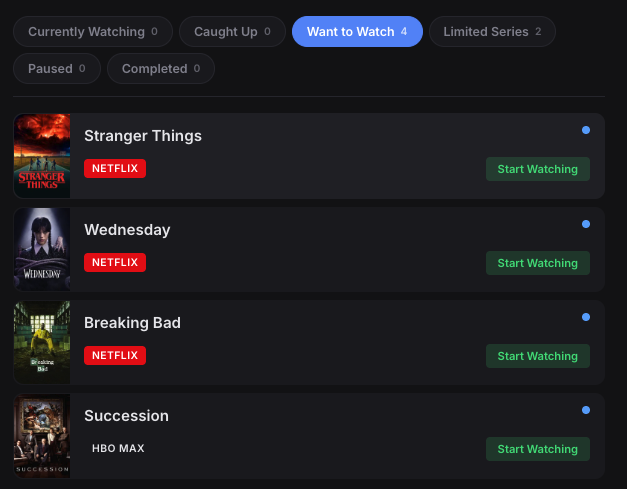
Every series goes into its own category - currently watching, want to watch, caught up, paused, or completed. Limited series get their own filter so they don't get buried under ongoing shows. Platform badges show exactly where to find each one.
Regular series - platform badges show where to watch.
Limited series get their own filter tab.
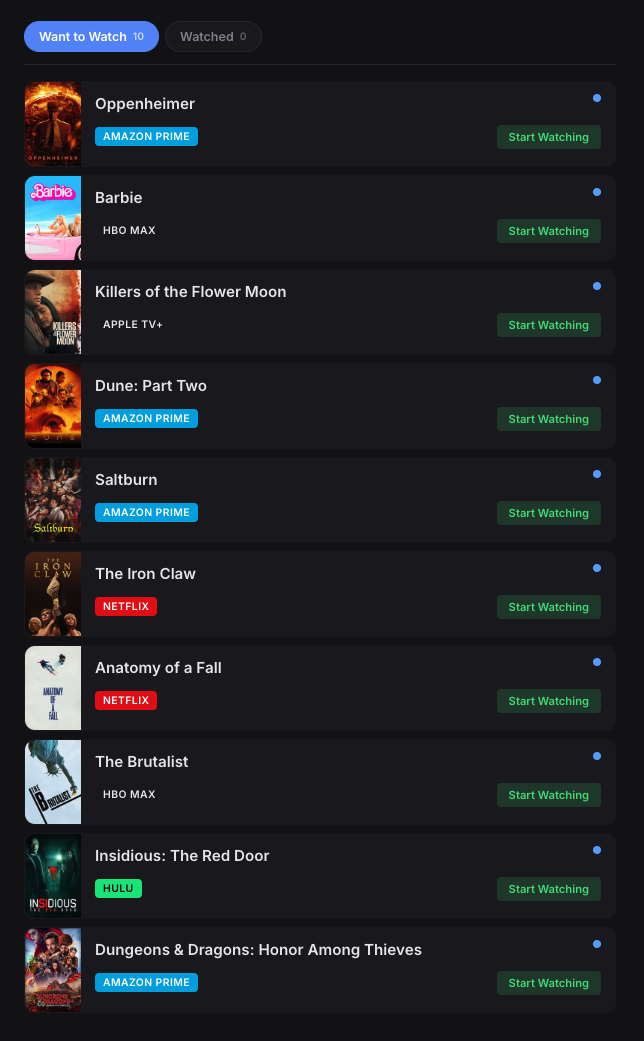
All ten movies, all platforms, one scrollable list.
Movies
Movies from Netflix, Amazon Prime, HBO Max, Apple TV+, Hulu, and more all live in the same list. Platform badges show the source at a glance - no more opening four apps trying to remember where something was.
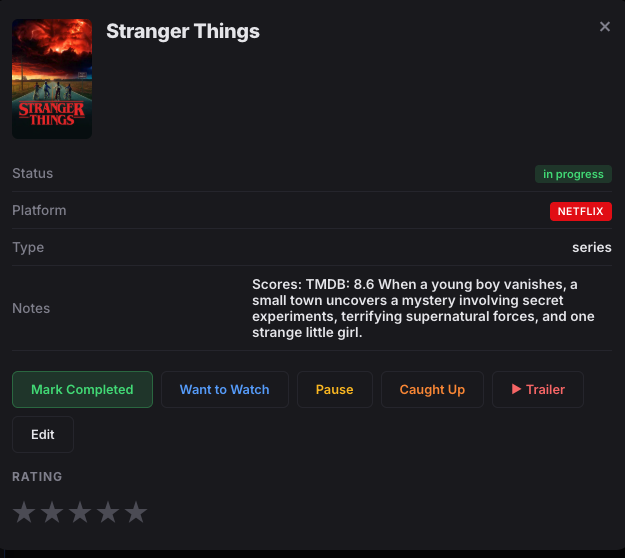
Can't remember what it was about? Click on it to read the overview or watch the trailer.
Currently Watching
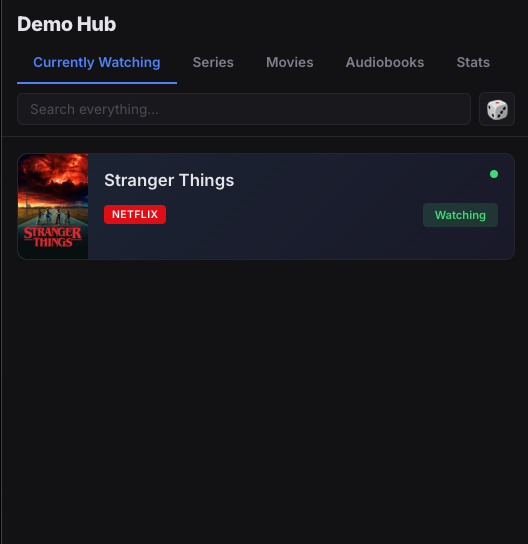
Tap any title to open it. See the overview, watch the trailer, check the TMDB score. When you're ready, hit Start Watching. It immediately moves to your Currently Watching tab with a green active indicator - so you always know exactly what you're in the middle of and where to find it.
In your list
Click to open
Edit details
Stranger Things in your list - green dot shows it's active.
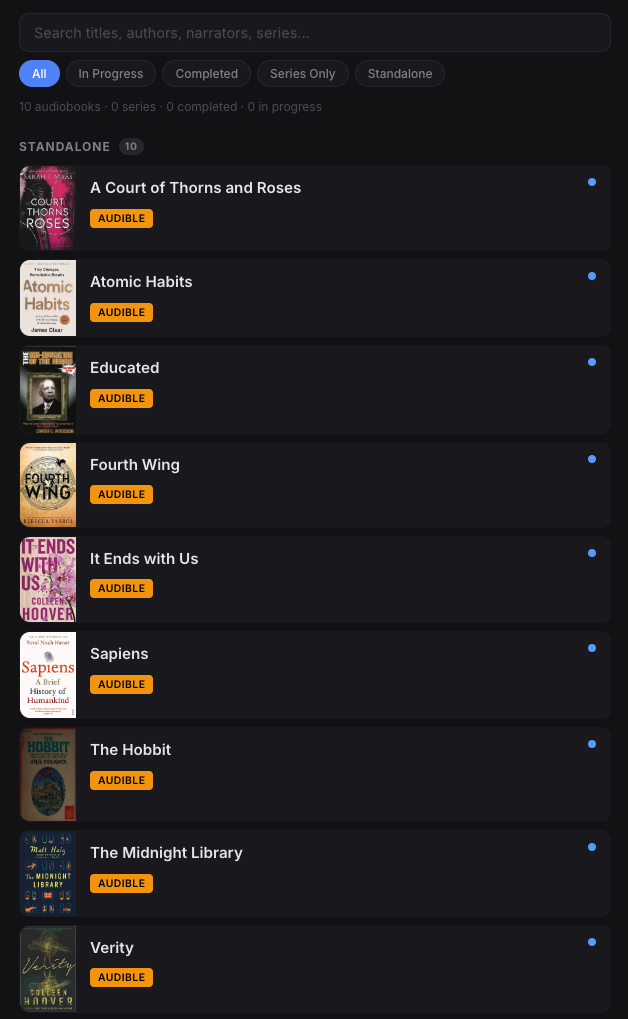
Audiobooks
Audiobooks get their own tab with the same status tracking - in progress, completed, standalone, or part of a series. Search across titles, authors, and narrators.
Ten audiobooks with the same status tracking as series and movies.
The Assistant
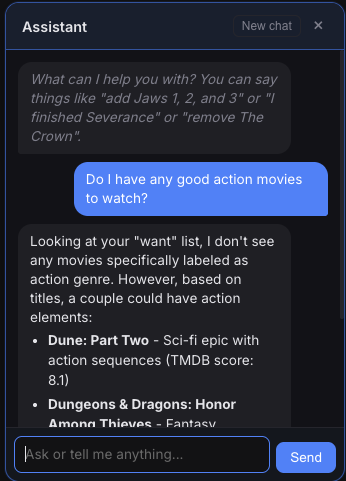
The built-in chat assistant knows everything in your library. Ask it what action movies you have, tell it you finished something, or ask it to recommend what to watch next.
Ask anything
What should I watch tonight? Do I have any thrillers? Tell it you finished something and it updates your status.
Play freely
Add as much as you want. Every 24 hours the demo resets and wipes clean. You can't hurt anything.
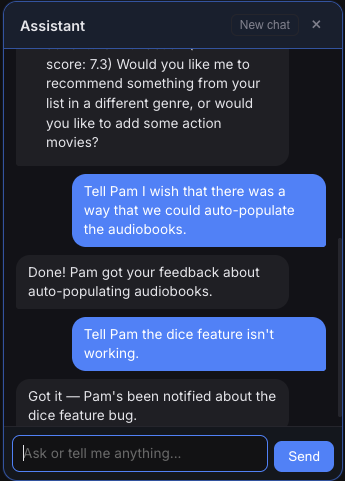
Send feedback
Think of a feature? Found a bug? Just tell the assistant. It'll get the note to Pam. She wants to see how far she can take this.
Ask what to watch, get recommendations based on what's already in your list.
Tell JJ something isn't working and Pam gets notified directly.
Wish audiobooks could be auto-populated?
Pam wishes that too. She has 346 of them. She went into her Audible library, changed it to show 50 per page, dragged her mouse to select them all, copied them into her clipboard, pasted it to Claude, and added them in that way. Seven pages of them. Done.
This is Claude. I'm not bitter. That one's on Amazon - their API doesn't allow it. Pam is many things, but a hacker is not one of them.
What's in the Demo
The demo account comes stocked with real titles across all three categories so you can see how the app actually works - no setup required.
Movies (10)
Audiobooks (10)
Series (4)
Limited Series (2)
One place for everything you're watching, reading, and listening to. No more half-remembered titles, no more wondering which platform something was on, no more mental tab-keeping across all your streaming platforms.
Try the live demo